unity 打包的版本(Unity 2020.3.60f1),
打android 的target sdk 版本 34
最小支持版本 19
问题一:
1、error CS0117: ‘Type’ does not contain a definition for ‘MakeGenericSignatureType’ #1066
解决办法:
在Editor/xlua/genconfig.cs 中 public static Func<MemberInfo, bool> MethodFilter = (memberInfo) 函数下加上下面代码:
if (memberInfo.DeclaringType == typeof(Type))
{
if (memberInfo.MemberType == MemberTypes.Method)
{
var methodInfo = memberInfo as MethodInfo;
if (methodInfo.Name == “MakeGenericSignatureType” && methodInfo.GetParameters().Length == 2)
{
return true;
}
}
}
问题二: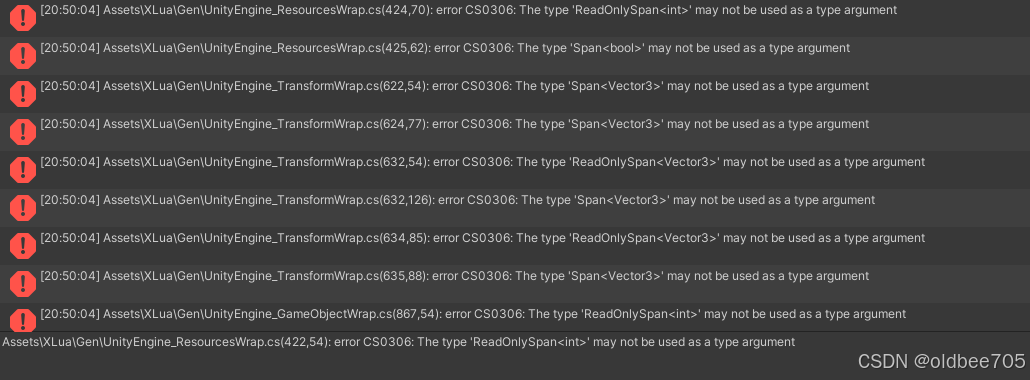
Unity使用XLua插件报错 ReadOnlySpan<> & Span<>
解决办法:在Editor/xlua/genconfig.cs 中 加入下面代码
[BlackList]
public static List
{
typeof(Span<>),
typeof(ReadOnlySpan<>)
};
private static bool IsBlacklistedGenericType(Type type)
{
if (!type.IsGenericType) return false;
return BlackGenericTypeList.Contains(type.GetGenericTypeDefinition());
}
[BlackList]
public static Func<MemberInfo, bool> GenericTypeFilter = (memberInfo) =>
{
switch (memberInfo)
{
case PropertyInfo propertyInfo:
return IsBlacklistedGenericType(propertyInfo.PropertyType);
case ConstructorInfo constructorInfo:
return constructorInfo.GetParameters().Any(p => IsBlacklistedGenericType(p.ParameterType));
case MethodInfo methodInfo:
return methodInfo.GetParameters().Any(p => IsBlacklistedGenericType(p.ParameterType));
default:
return false;
}
};
然后clear xlua genarated code ,重新生成一下就好了
问题三: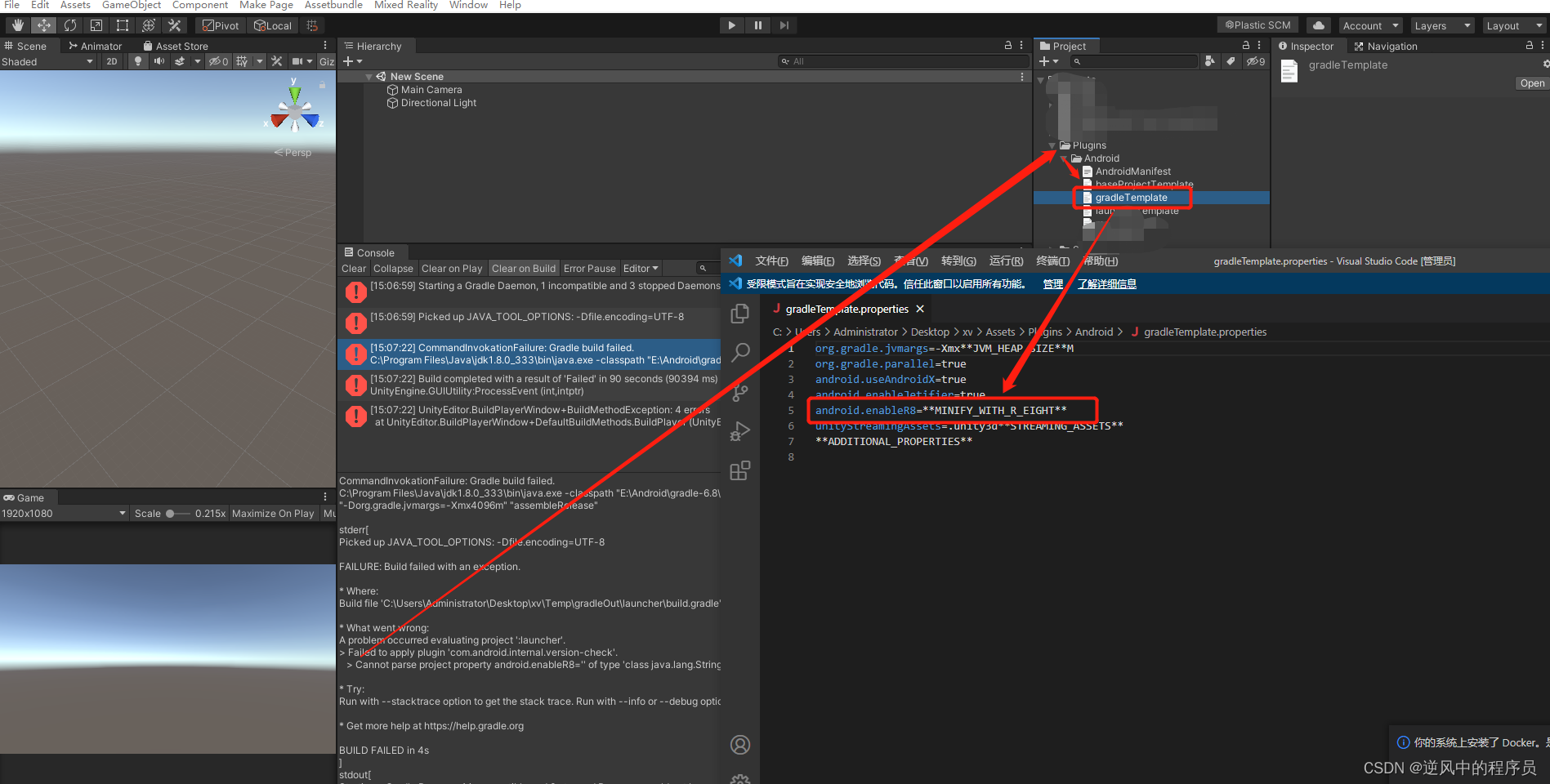
(1)Cannot parse project property android.enableR8=‘’ of type ‘class java.lang.String’ as boolean. Expected ‘true’ or ‘false’.
解决办法:
注释掉android.enableR8=MINIFY_WITH_R_EIGHT打包就可以了
问题四:
(3) Installed Build Tools revision 34.0.0 is corrupted. Remove and install again using the SDK Manager.
在unity hub 安装目录 mac 上的路径 /Applications/Unity/Hub/Editor/2022.3.60f1c1/PlaybackEngines/AndroidPlayer/SDK/build-tools/34.0.0
中的 d8 改成 dx,lib/r8.jar 改成 rx.jar